01 · Coaching
Talk it through with an AI coach built on recruitment experience.
Bring whatever is going on. Careersy asks for the evidence a good recruiter would want before it says what it sees, then tells you straight.
“I have been applying for three months and hearing nothing. Where do I even start?”
02 · Career Direction
Work out which path to take next.
Lay out the options in front of you. Careersy weighs each one against your experience, your constraints and the ANZ market, and tells you where to start.
“Stay technical, move into management, or join a startup?”
03 · AI Fluency
Work out how you use AI today and build a saved roadmap for what to learn next.
AI Fluency asks how you actually use AI, places you on a four-rung ladder in your own words, and writes the next 30 and 90 days as a plan that saves to your profile and that you tick off as you go. Saying it well in an interview is one of the actions, not the point.
“Every job ad mentions AI skills. Where do I actually sit?”
04 · Role Discovery
Find the roles you did not know to search for.
Tell Careersy what you are good at. It lands on two or three directions, each badged strong or stretch against your history, with the titles ANZ companies actually use. “Find roles like this” hands any of them straight into Job Search.
“What roles fit me apart from the one I have now?”
05 · CV Enhancement
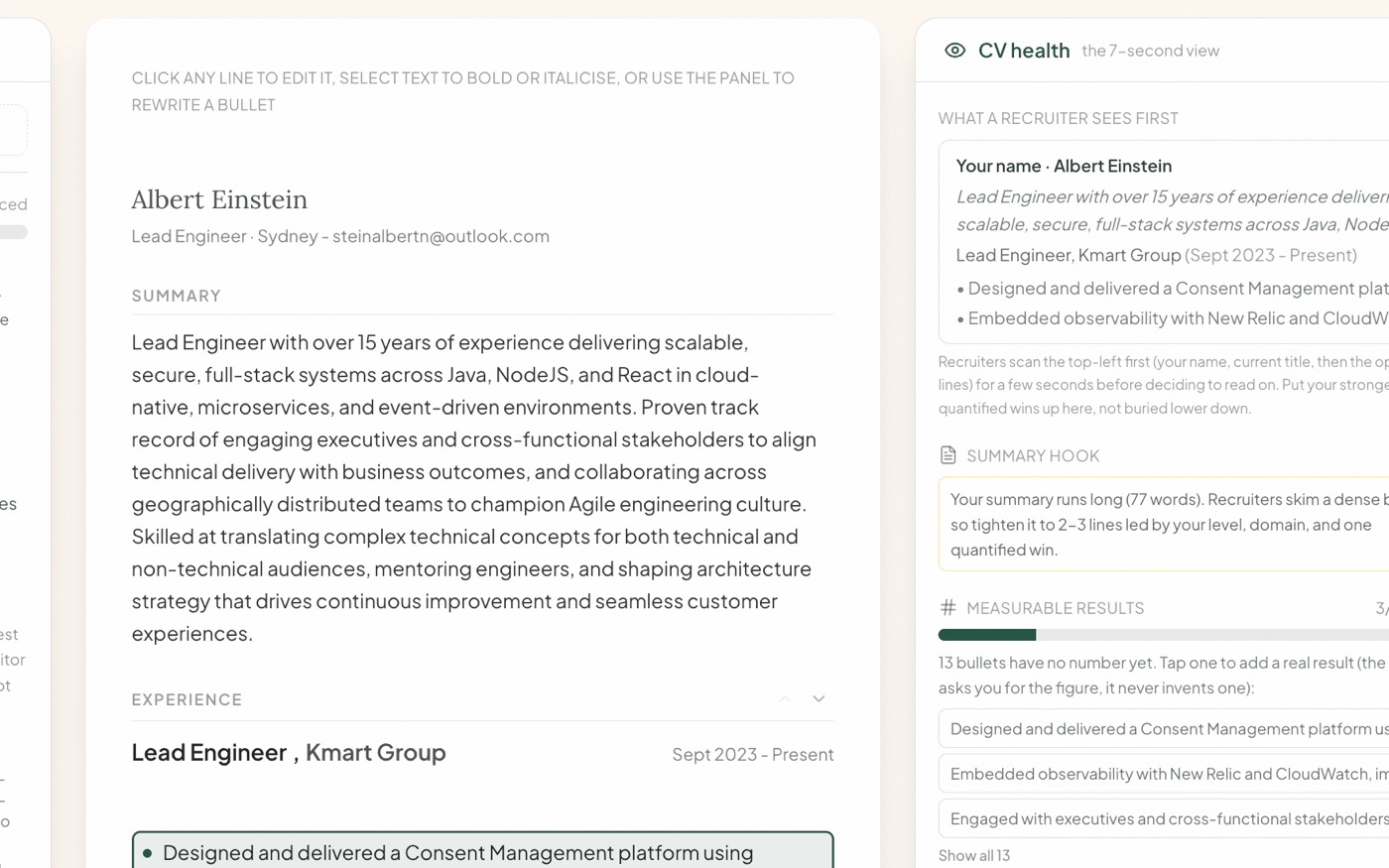
Rewrite the CV line by line, with you.
Careersy reads your CV the way the screening software (the ATS), the recruiter and the hiring manager each do, then rewrites the lines that hold you back, one at a time, in CV Canvas.
“Why does my CV read junior when I have led teams?”
06 · ATS Score
See how you match one job before you apply.
Paste the job ad and your CV. Careersy scores the match and shows the exact things the ad asks for that your CV never says.
“Would I even get shortlisted for this one?”
07 · AI Discoverability
See how your profile reads to recruiters' AI tools.
Recruiters now search with AI. Careersy reads your CV, and your LinkedIn export if you add it, against live ads for your target role and checks your profile against the words they use. You get a status per area, the rewrites to make first, and a clear line between what it checked and what it cannot: whether you appear in a particular recruiter's search, or in an AI assistant's answer, is not something it can test from a profile. Statuses, not a score.
“How do I read to a recruiter's AI search?”
08 · Create LinkedIn Post
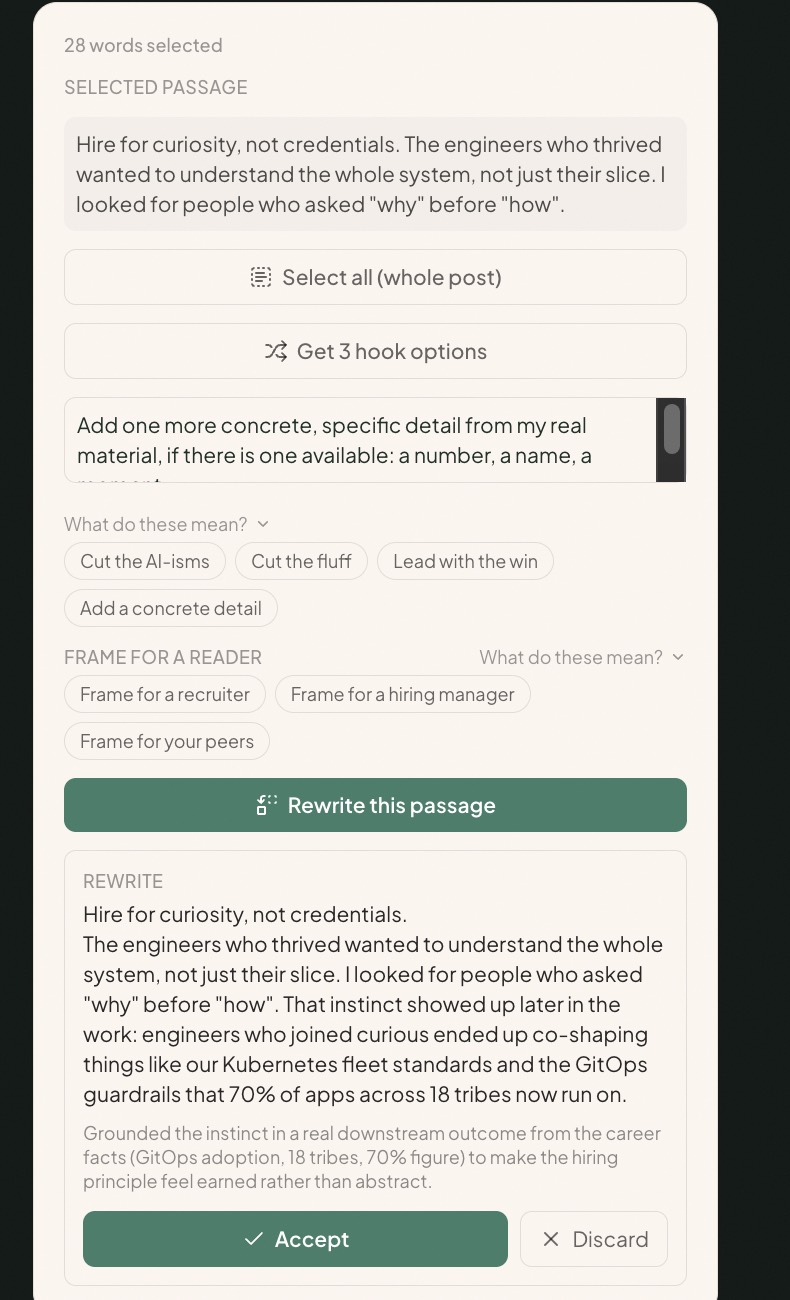
Post about your work in your own voice.
Careersy writes from your real career, not a template, in LinkedIn Post Canvas. You edit, it keeps your voice.
“What do I even post about?”
09 · Job Search
A shortlist that fits you, not a board of near misses.
Careersy searches two live feeds, LinkedIn and the jobs companies post on their own careers pages (their hiring systems, so roles that never reach a job board are in it), then scores every role 1 to 10 against your CV: the reason it fits, the gap, a tip. Any role saves to your Guided Job Hunt board in one tap.
“Where are the roles that actually fit me?”
10 · Company Targeting
Find the companies likely to need what you do.
Careersy helps you pick the ANZ companies worth your time and work out who to reach, so you can make contact before a role is advertised.
“Who is hiring for what I do?”
11 · Draft Message
Write the message you have been putting off.
Follow-ups, thank-yous, the nudge to a recruiter who went quiet. Careersy drafts it short, specific and without the apology.
“How do I chase the recruiter without being annoying?”
12 · Interview Preparation
Prepare for what the panel is really judging.
Tell Careersy the role and the round. It lays out what the panel scores at that level, then works your stories with you until each one is ready.
“Panel interview Thursday. What are they actually testing?”
13 · Compensation & Negotiation
Know what the offer is worth and what to say back.
Bring the offer, the level and the city. Careersy checks it against the market, tells you where the job is bigger than the title, and writes your reply.
“Is this Senior offer in Sydney fair?”
Deep Research is not a mode: it is the binoculars toggle in the composer, 3 credits, a cited report saved to your Library.