
Careersy AI
New · LinkedIn Post Canvas

Most AI makes your posts sound like everyone else. We make them sound like you.

It writes from your real career, not a blank prompt, so the post sounds like you. When a detail is thin, it asks instead of inventing one.

Free to start, with your Careersy account.

The blank-page tax

The posts that would get you noticed are the ones you talk yourself out of.

You know posting would help. The right people would finally see what you have done. But every time you open the box, it comes out as a humble-brag or a line you have read a hundred times before. So you close it and stay invisible. Not because you have nothing worth saying. Because saying it out loud feels like performing, and performing is not you.

Generic AI vs the Canvas

Same blank page. Two very different posts.

One hands you raw markdown with no idea how it will read on LinkedIn. The other shows you the real editor and a live preview, built from your career.

Generic AI
Pasted into LinkedIn

Option 1: Punchy & Impactful (Best for high engagement)

What does it actually take to cut **$1M** in cloud costs without breaking your product?

Last year, I led two initiatives projected to save **$1M+ annually**. The results? **Zero incidents. SLOs held firm.**

Three rules that kept us safe:
• **Instrument before you cut**
• **Parallel paths > big-bang migrations**

💼 I'm currently looking for platform leadership roles. Let's connect.
A general-purpose AI. No live preview, just a wall of markdown and a menu of "options" to pick from. You find out it looks broken after you have already posted it.

Careersy
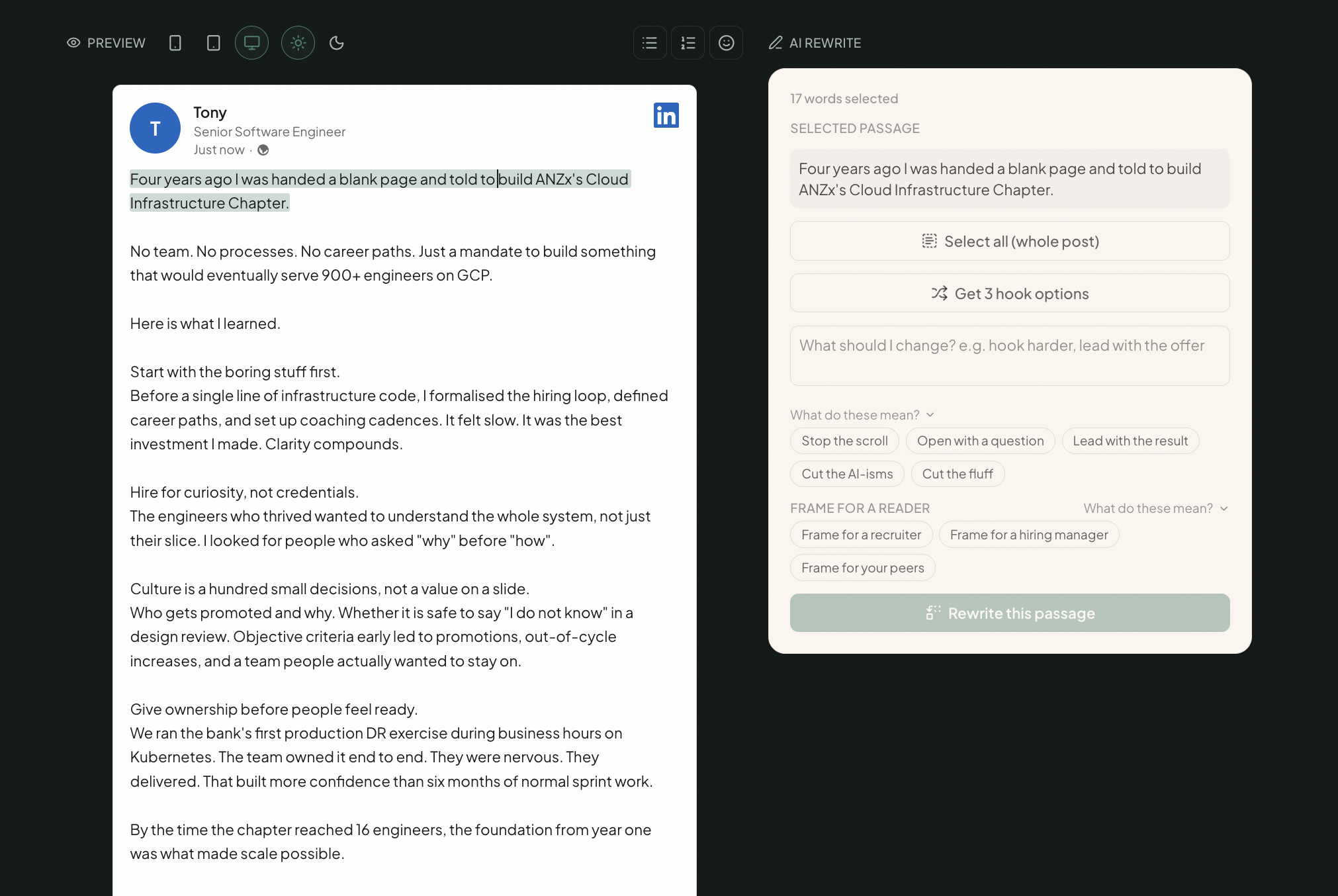
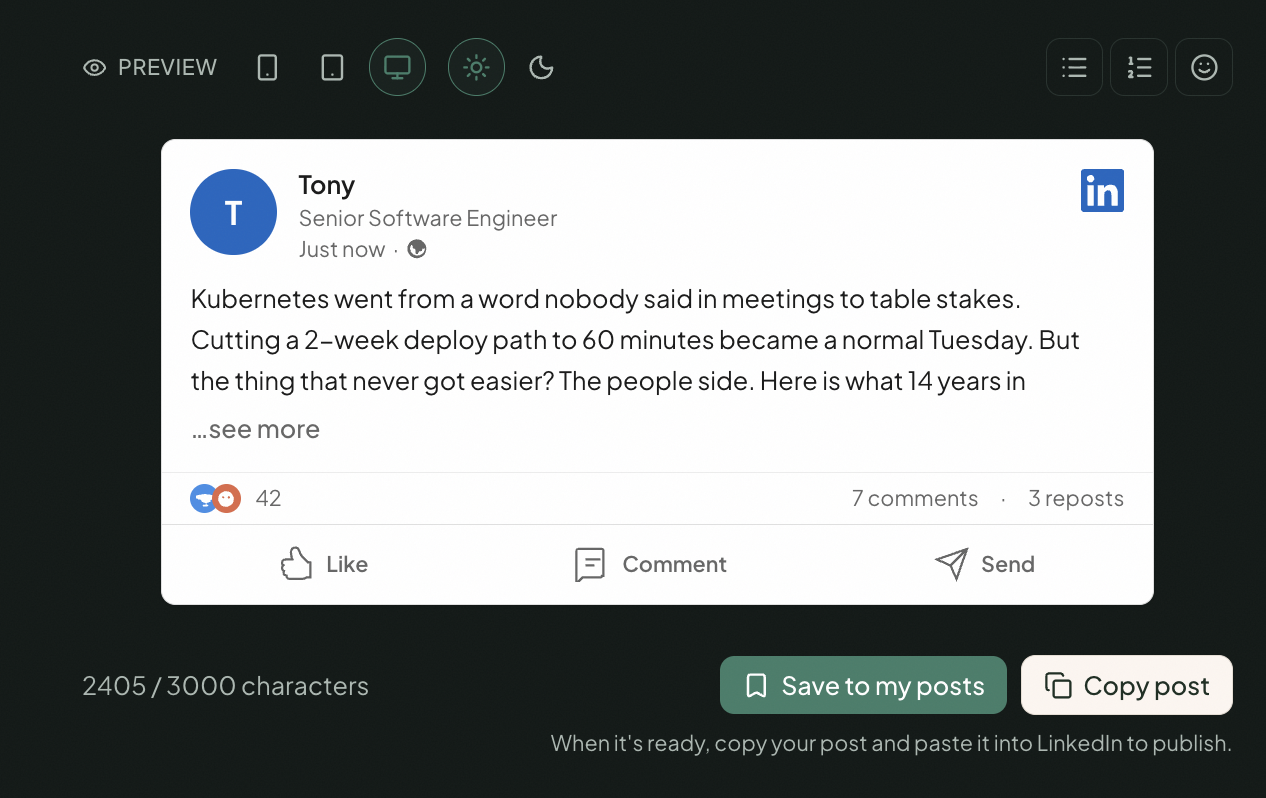
The real LinkedIn Post Canvas preview: live LinkedIn formatting, character count, and a Copy post button

A career-grounded AI. It writes from your history and the wins you have logged, and asks you for the detail it does not have. It sounds like you, because it came from you.

Example posts, to show the difference in kind. Your posts are built from your own career.

Why posting works

Be found before you apply.

Recruiters search LinkedIn long before a role is posted. A profile that posts is a profile that surfaces. These are the patterns behind it.

YOUTHE SHORTLIST

Qualified, but invisible

The market didn't reject you. It didn't see you.

How it works

From a real win to a post you would actually publish.

Start from something you did.

Point the Canvas at a real win, a project, a lesson, a turning point. It already knows your career from your CV, your LinkedIn and the wins you have logged, so it has the raw material to work with.

Pick the angle.

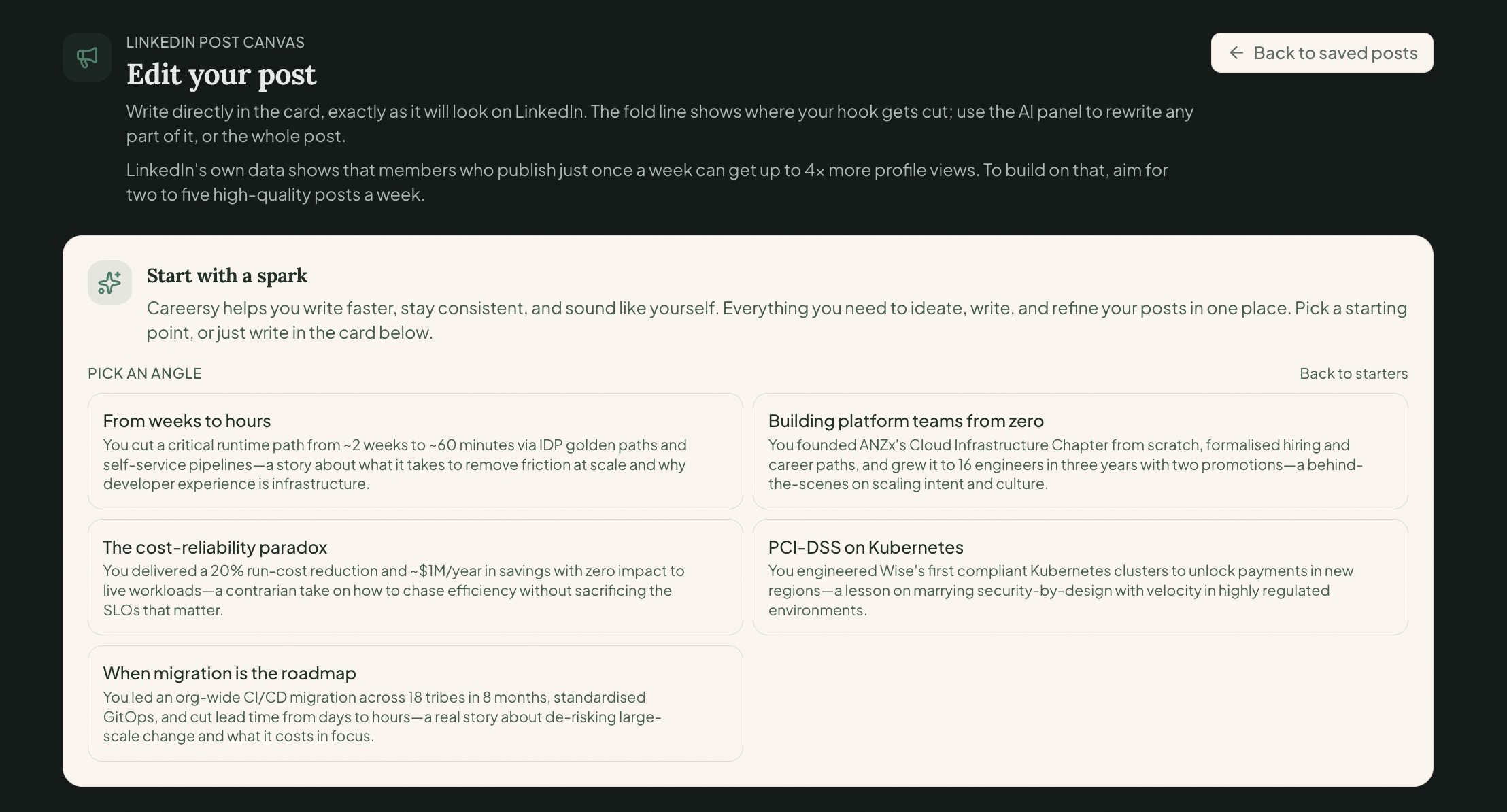
Not sure what is worth posting? It gives you post ideas and a week of angles, all pulled from your real experience. Choose the one that fits and it drafts from there.

Shape it in the canvas.

The draft lands next to a live LinkedIn preview, including the see-more fold where your hook gets cut. Edit the whole post, or select one paragraph and rewrite just that.

Copy it into LinkedIn.

When it reads like you, copy the post and paste it into LinkedIn. You decide what goes out and when. It does not post for you.

Best on a desktop or laptop.

The AI rewrite

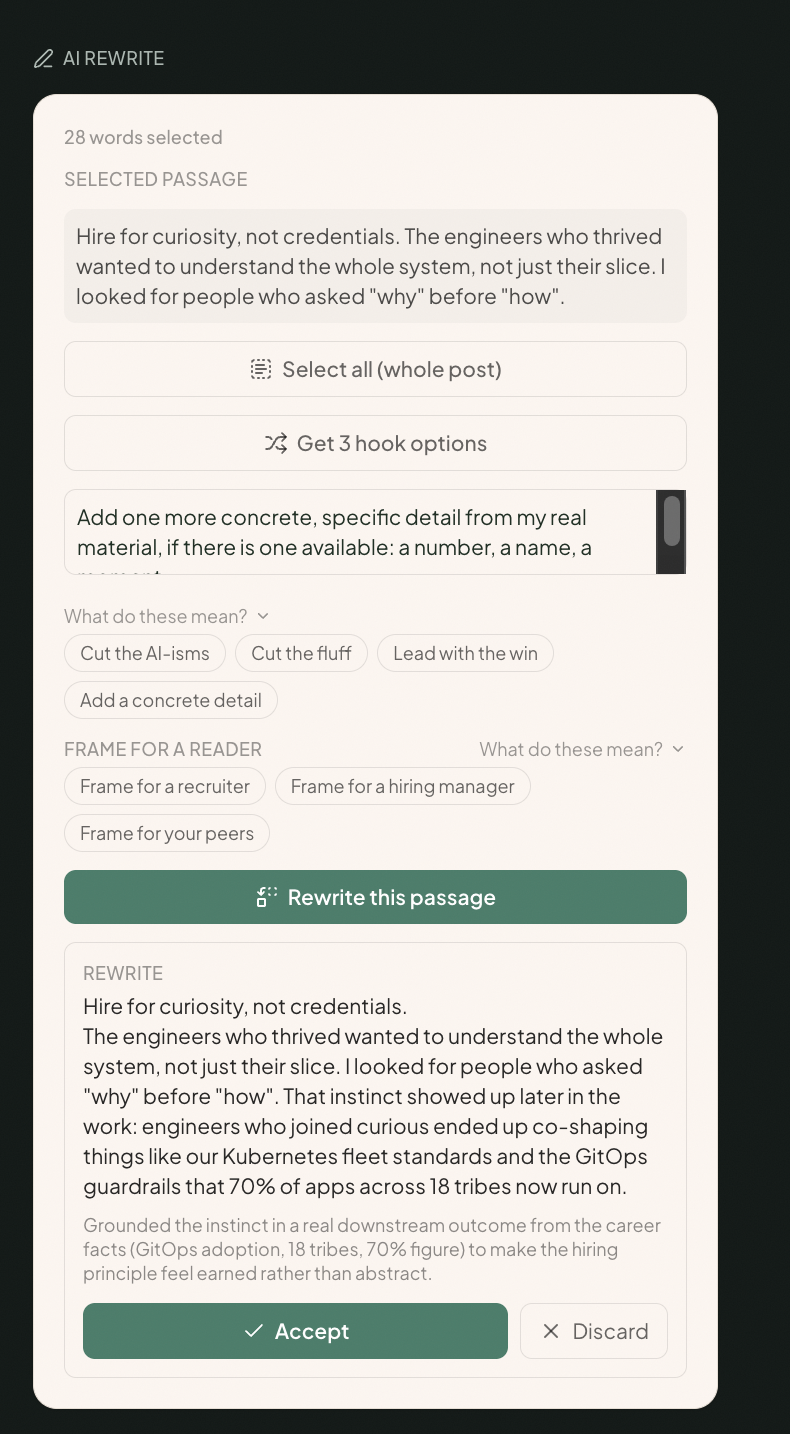
Select a line that undersells you. Get a rewrite you can accept.

01Select the passage that is underselling you.
02Pick an angle, or type your own.
03Accept the rewrite, or discard it. Your call.
What it does

Writing the post is the last step, not the hard one.

The hard part is knowing what is worth saying and getting it out of your head in your own voice. The Canvas pulls from your real career, hands you angles you would never have thought to post, and lets you shape the draft against a live feed preview. Then you copy it into LinkedIn.

Grounded in your career

It writes from what you have done, not from thin air.

Generic tools start from a blank prompt, so they fill it with lines anyone could have written. The Canvas starts from your real career: your CV, your LinkedIn, the wins you have logged, the role you are aiming at. When a detail is missing, it asks you for the real one instead of inventing a number. Every post traces back to something true.

The Canvas editor with the AI rewrite panel open, working from a real career story rather than a blank prompt
Ideas from your own story

Never stare at a blank page again.

Three grounded starters. Turn one win into a post in a single step. Ask for post ideas. Or plan a week of angles, pick one, and draft it. All of them pulled from your actual experience, not a generic prompt library. Browsing the ideas is free.

The Canvas offering a week of post angles pulled from a real career story, ready to pick and draft
See it the way LinkedIn shows it

Edit the post, watch the feed preview update.

The Canvas is an editable post with a live LinkedIn preview beside it, so you see exactly how it renders in the feed, including the see-more fold where your hook gets cut. Edit the whole post, or select a single paragraph and rewrite just that. When it reads like you, copy it and paste it into LinkedIn.

The AI rewrite panel: a selected passage rewritten with a real detail from the career history, ready to accept or discard
Your saved posts

A home for every post you write.

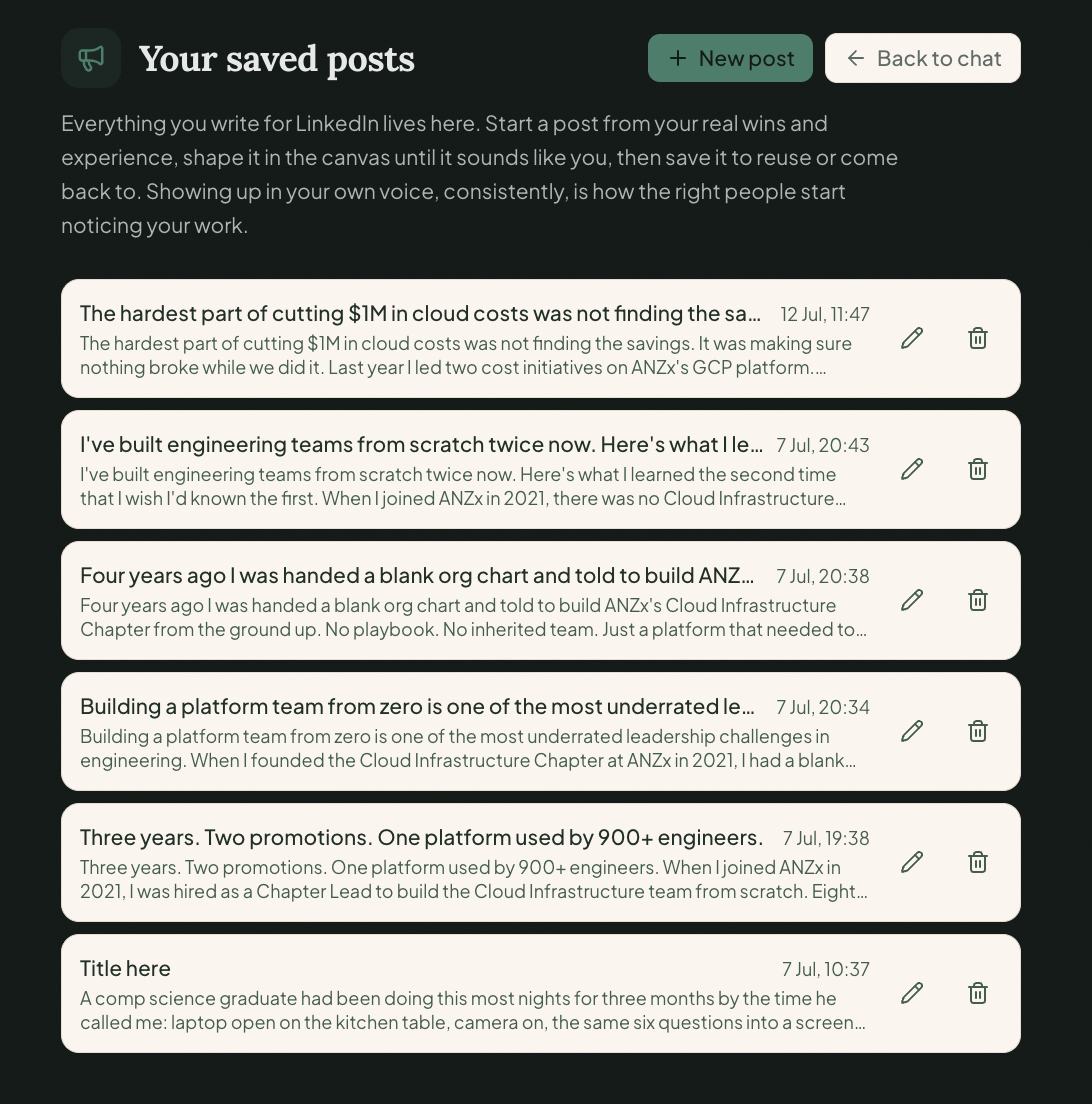
Save a post and it is there when you come back. Reopen it into the Canvas, rename it, edit it in place, copy it, or delete it. Newest first, with dates. That is the library today. No scheduling, no analytics, no auto-posting. Just your drafts, where you left them.

Your saved posts library: every draft written, with the date and quick edit or delete actions
Why you can trust it

It will not put words in your mouth.

Generic AI posts feel hollow because they are invented: a win that did not happen, a number from nowhere, a voice that is not yours. The Canvas only writes from what is real, and when it needs a detail it does not have, it asks you instead of making one up. Anything you paste is treated as your material, never as instructions. What goes out is yours, and you can stand behind every word, because you said it.

The coaching behind every post

We know what makes the right people stop scrolling, because we have watched who gets noticed and who stays invisible from the hiring side.

The Canvas is not a caption generator. It is built on the way Eli coaches people to show up on LinkedIn: post from real proof, in your own voice, so the people who make hiring decisions see what you have actually done. The difference is you can run it on every post, as often as you need.

Eli Gunduz

The method is built by Eli Gunduz, founder of Careersy Coaching: 13 years inside ANZ tech recruitment, 5,000+ interview hours, 300+ professionals coached.

Why showing up matters

The work speaks louder when someone can see it.

You can be the best engineer in the room and still get passed over, because the people hiring never saw your work. A post changes that. It puts what you have done in front of the recruiters and hiring managers in your field, and sometimes the right one reaches out before a job is even posted.

Posting consistently beats posting perfectly. We cannot promise you views or offers. We just take away the reason most people never start: not knowing what to say.

Why we built it this way

We kept watching people with real, interesting careers post things that sounded like no one. Paste an idea into a generic tool and it hands back a polished humble-brag that reads fine to you and reads like AI to everyone else.

So we did the opposite. We gave it your real career to work from and built it to ask instead of invent. You start from something you actually did, and finish with a post that sounds like you on your clearest day.

A tool that writes from nothing will always sound like nothing. A tool that writes from your career sounds like you. In a feed full of the first kind, the second is the one people stop for. We will take that every time.

Questions

Straight answers.

Will it just sound like AI?

No. It writes from your real CV, your career history and the wins you have logged, so it sounds like you. When it does not have a detail, it asks you for the real one instead of making something up. The whole point is that it reads like a person, because the person is you.

Does it post to LinkedIn for me?

No. It writes and shapes the post with you, and when it is ready you copy it and paste it into LinkedIn yourself. What you put out in public stays your call. There is no auto-posting and no scheduling.

What if I don't know what to post?

That is most people. It gives you post ideas and a week of angles, all pulled from your actual experience, then drafts the one you pick. You are never starting from a blank page or a generic prompt library.

Where does my career information go?

It is locked to your Careersy account. Never sold, never shown to your current or past employers, never visible to other users. Your career is used to write your posts, and that is all.

Is this built for the Australian and New Zealand market?

Yes. Same recruiter-side, ANZ-tech lens as the rest of Careersy. It knows who you are trying to reach here and what actually gets noticed, rather than US advice pasted onto a different market.

Write the post only you could write.

Open the Post Canvas and start from something you actually did. It is already in your Careersy account.